
Not too long ago, I was the tech lead for the HackerOne Infrastructure team. Besides leading the technical direction of infrastructure for the org, there were some side jobs, or as some people put it, multiple hats to wear. Some of these still required a human touch, such as vendor contract management and negotiations. Others just felt like a blackhole of time that only got larger.
One blackhole was the management of our work tickets and kanban board. I always thought I was pretty good at it and would tell myself that I enjoyed it.
A confession: That's a lie. I'm not good at ticket management, and I hate every second I spend grooming issues, requesting follow-ups, or organizing epics.
While I'm not out there creating AI-integrated apps or major features, I do manage to use AI for a variety of things each day. It might only be a silly little thing like asking about the Carnian Pluvial Event or how to properly form a regex for email addresses (which I still need to do despite over a decade in the industry). Still, I try to lean into basic AI usage all the same.
Over the summer, I started to feel burned out and that I didn't enjoy the work I was doing anymore. One thing I explored was how to leverage these models to reduce the work I didn't enjoy. Around this same time, I had my realization about ticket management that I wrote about above, so the obvious candidate was to automate some of my bureaucratic work.
This was the inception of my Kanban helper prompt & script.
I started with a relatively simple prompt that called a shell script to query my Kanban board and return JSON. The prompt would continue with the data by passing it to my model of choice (Sonnet 4 at the time of this writing).
So, every morning I would run: cat prompt.txt | kiro-cli chat --no-interactive --trust-all-tools, letting my terminal run through the prompt, typically taking 3-5 minutes, which was a perfect time to make some tea.
As I iterated on the script, I found that I needed more data to make better decisions, so I turned to Kiro and had it help me wrangle the GitLab API output to add things such as the issue details, the requested due date, the latest comments on the actual status of blockers, and more.
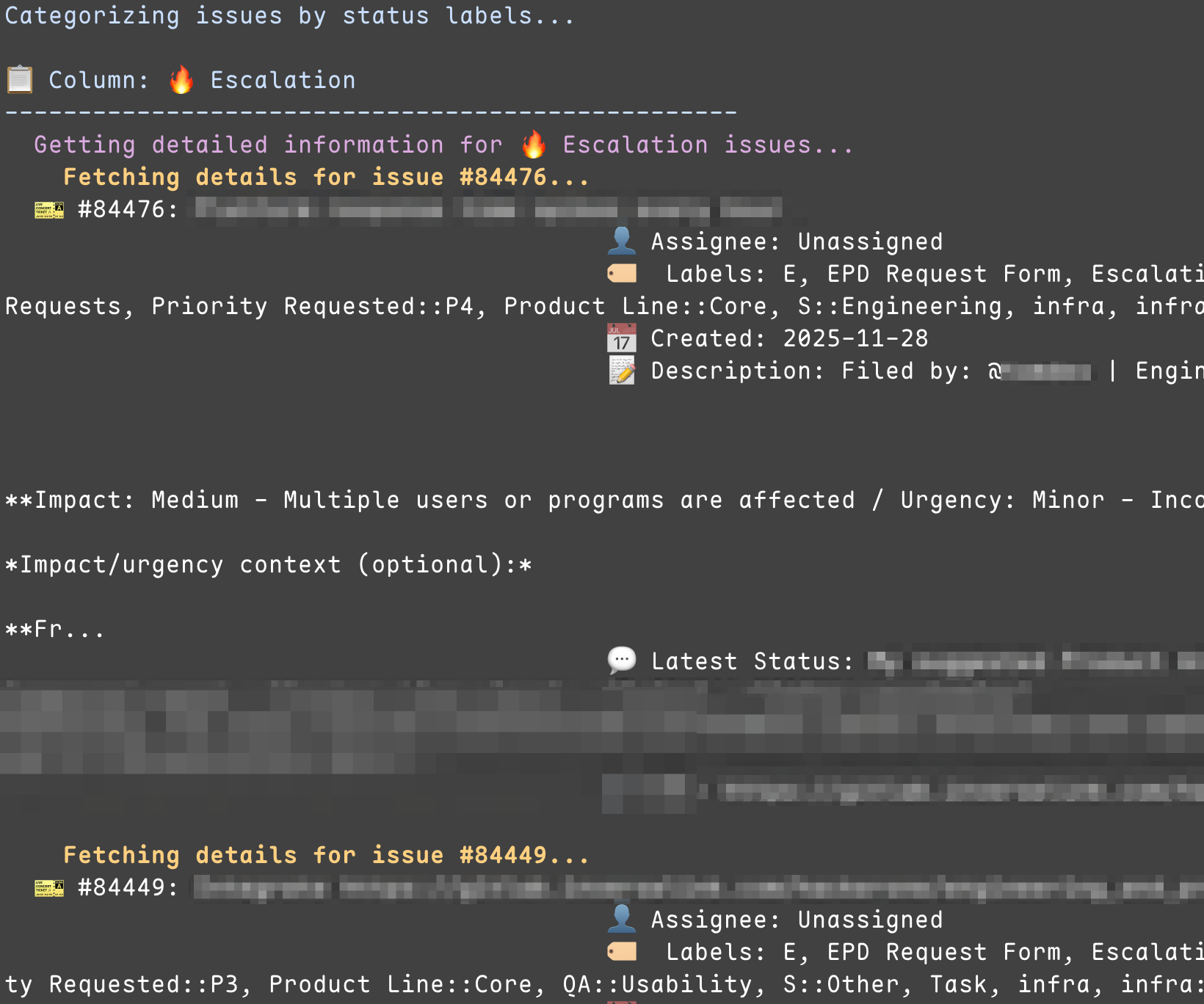
I added more features to my prompt: posting the status to GitLab as a private snippet for me to share, writing an executive summary for me to skim for urgent actions, and considering the assignee and timezone when providing comments on tickets.
My prompt ended up being relatively complex, even referencing a specific example file for the final output that gets uploaded to a GitLab snippet.
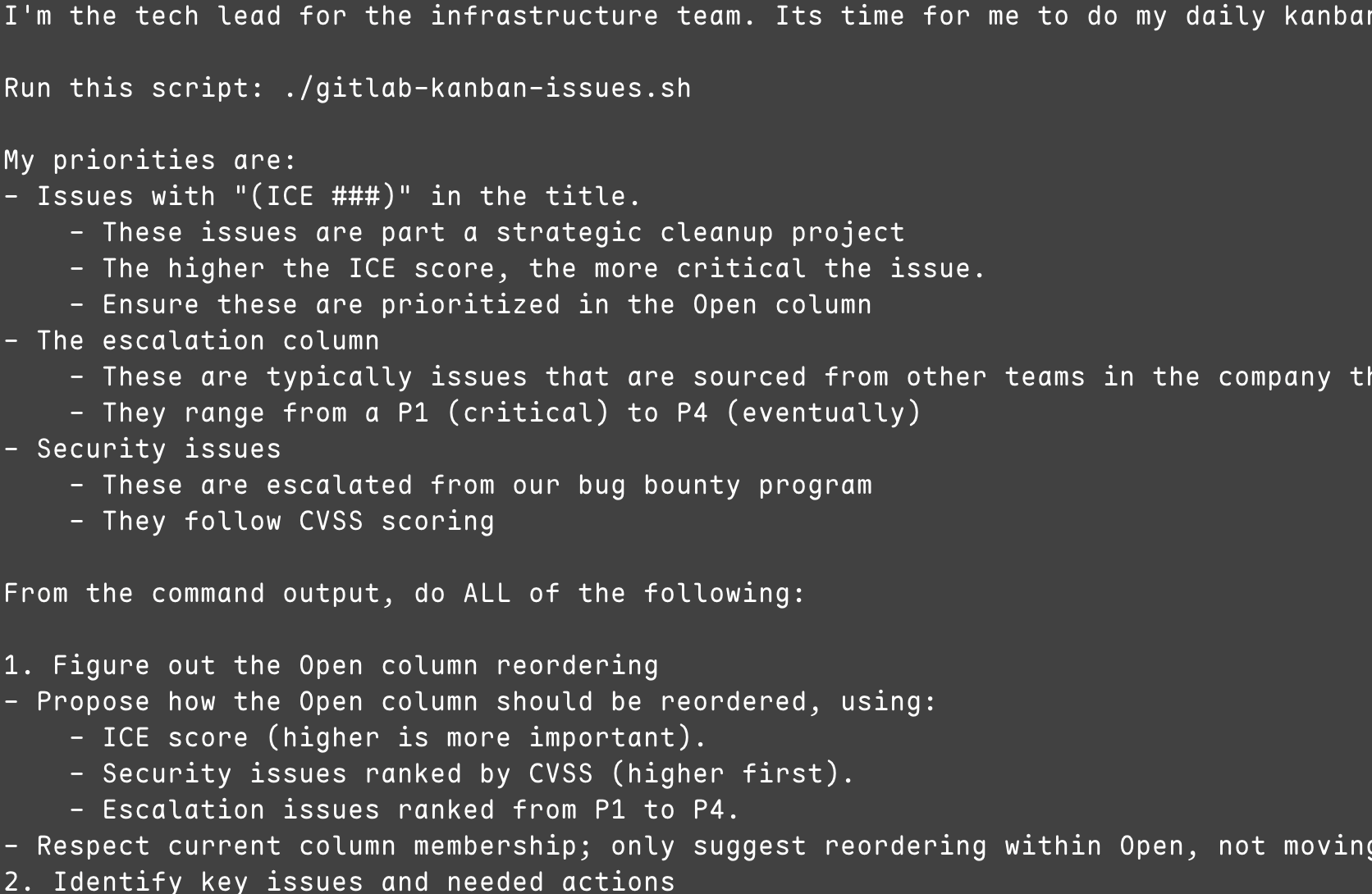
These were living documents, the script and prompt, and I typically would spend a few minutes per week tweaking them to get more consistent prioritization or formatting.
So the million-dollar question is: was the time spent worth it?
Despite transferring out of my role as the tech lead for the team (and into a whole different role & domain: managing a security team), I absolutely think that my time spent on this little bureaucracy automation was worth it. Even just revisiting it for this blog post gives me inspiration for similar tools. Ultimately, in my opinion, that's what LLMs excel at in 2025: being tools you can leverage to improve your workflow or give you time to focus on what you want or need.
So why do you care? Well, every company and person is trying to shove AI into their app or build an agent to manage their laundry schedule. I'm encouraging you to take a step back and consider AI/LLMs for what they are: this generation's version of the quick Python script that you create to automate some daily monotony so you can get to more interesting work.